What omarchy4mac is
Omarchy 4's desktop on the Mac: AeroSpace for tiling, SketchyBar for the bar, and one theme script that recolours everything.
Omarchy 4, for the Mac. An Omarchy port for macOS — for those of us who want the Omarchy experience but can't (or won't) leave the Mac. The story of the port is in How to make macOS look and feel like Omarchy.
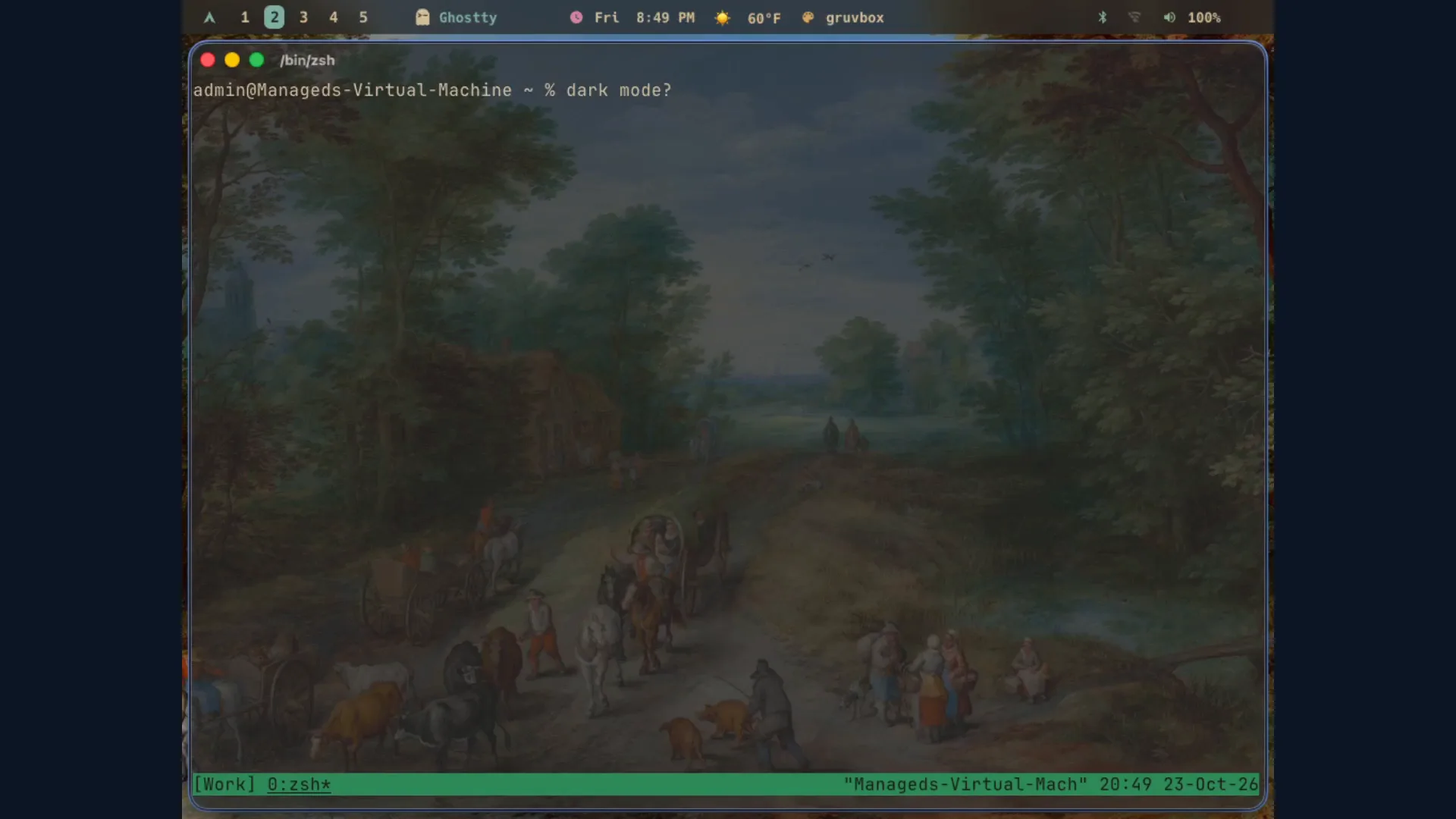
The finished port: Omarchy's bar, five workspaces, gruvbox, and a Ghostty window. No Arch install, no drive wiped.
Omarchy is DHH's opinionated Arch + Hyprland setup. This repo recreates the parts that matter on macOS with native tools:
| Omarchy piece | macOS stand-in | Config here |
|---|---|---|
| Hyprland (tiling WM) | AeroSpace | aerospace/ |
| Waybar | SketchyBar | sketchybar/ |
| Window borders | JankyBorders | borders/ |
| Keybindings / menus | Hammerspoon | hammerspoon/ |
| Omarchy themes | theme script (syncs from omacom/omarchy) | bin/theme |
| Prompt | Starship, Omarchy 4's own config | starship/ |
The theme script is the centerpiece: theme --sync pulls every theme from
the Omarchy repo, at the commit pinned in OMARCHY_COMMIT, and converts it for
Ghostty, Neovim (LazyVim), and btop. theme random respects macOS light/dark
appearance, and a launchd listener re-themes everything the instant the system
flips appearance.
Where to go next
- Install it: one command, and the same command updates it.
- What you get: tiling, the bar, the menus, and the
omarchy-*commands. - Keys and aliases: every binding in the config, and the shell aliases. Press ⌥K on the desktop for the same list.
- Themes: the switcher, the wallpapers, the video backgrounds.
- Uninstall: a dry run first, then out.
- Troubleshooting: the manual step, the screensaver, the bar icons.
- How close is this to real Omarchy?: the scorecard, and the item-by-item parity checklist.
- Changelog: every change, newest first.
Prefer to read the code first? It is at github.com/dividendsolo/omarchy4mac.
Credits and license
- omacom/omarchy — the original, and the live source of every theme this port uses.
- AeroSpace, SketchyBar, JankyBorders, Hammerspoon, Starship — the projects doing the actual work.
MIT.